
Resolving Cartridge and Ink Problems Without Getting Lost
Resolving Cartridge and Ink Problems Without Getting Lost
Frequently, at the worst moment, ink and cartridge issues might cause your printing to abruptly stop. These problems can be annoying, ranging from unidentified cartridges to streaky prints or low ink alerts. The good news? With a little guidance, you can fix most of them yourself.
This blog provides step-by-step instructions for resolving common cartridge-related issues and getting your printer back up and running.
Typical Ink & Cartridge Problems
- Printer displays “Cartridge Not Recognized”
- Low ink warnings even with a new cartridge
- Blurry or faded print output
- Ink not flowing correctly
- Printer refuses to print after replacing ink
Reasons Behind These Issues
- Incorrect cartridge installation
- Protective seal or tape not removed
- Using incompatible or expired cartridges
- Dry or clogged ink nozzles
- Firmware not recognizing non-original cartridges
Easy DIY Home Repairs
1. Reseat the Cartridge
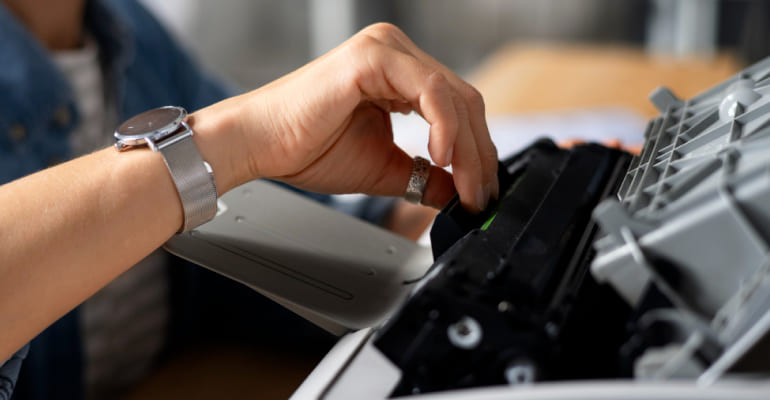
- Turn off your printer and open the cartridge compartment.
- Carefully remove and reinsert the cartridge to ensure proper placement.
- Listen for a firm click indicating a secure fit.
2. Remove the Safety Tape
If the cartridge is new, ensure that the protective plastic or seal covering the ink nozzle has been completely removed before installation.
3. Clean the Printhead
- Most printers offer a built-in printhead cleaning option in the maintenance menu.
- Run the cleaning process once or twice.
- Print a test page to confirm improvement.
4. Manually Check Ink Levels
- Review ink level indicators in your printer settings.
- Some printers may show false low-ink warnings—printing a test page can confirm ink flow.
5. Use Compatible Cartridges
Always ensure the cartridge matches your printer’s model number. Generic cartridges can work well if they are clearly labeled as compatible.
Expert Tips to Prevent Future Ink Issues
- Store cartridges upright in a cool, dry place.
- Properly power off the printer to prevent ink from drying.
- Avoid printing when ink levels are extremely low to protect the printhead.
- If you print infrequently, run a nozzle check once a month.
Need Assistance With More Printer Issues?
At Ink Hiveco, our goal is to simplify printer problems. Explore our collection of easy DIY printer guides for clear, step-by-step solutions—no technical jargon, just straightforward fixes.
